


La piattaforma Edunext
La piattaforma didattica di Edunext è raggiungibile all’indirizzo:
Una volta effettuato l’accesso, scorrete la home page e cliccare sul box del corso.
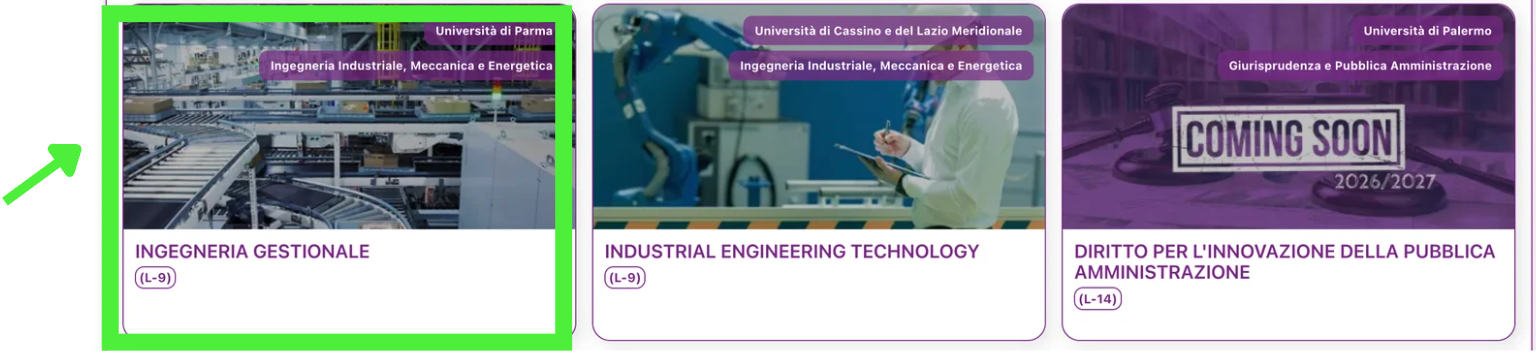
All’interno del box troverai i corsi integrati (cluster) che fanno parte del tuo piano di studi.
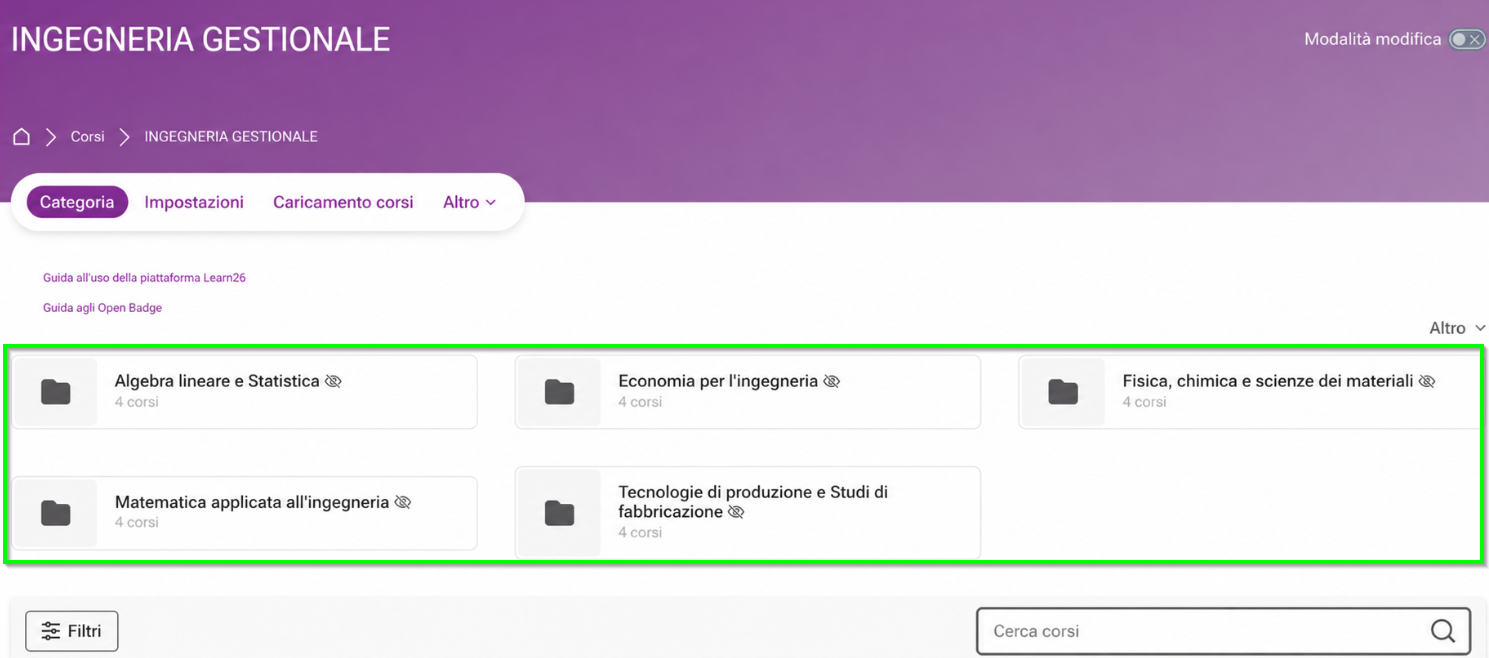
I contenuti didattici saranno sempre disponibili in tempo per quando il semestre avrà inizio.
Cliccando sul box di un corso integrato (cluster) potrai accedere alla sua descrizione sintetica e ai link dei moduli che lo compongono.
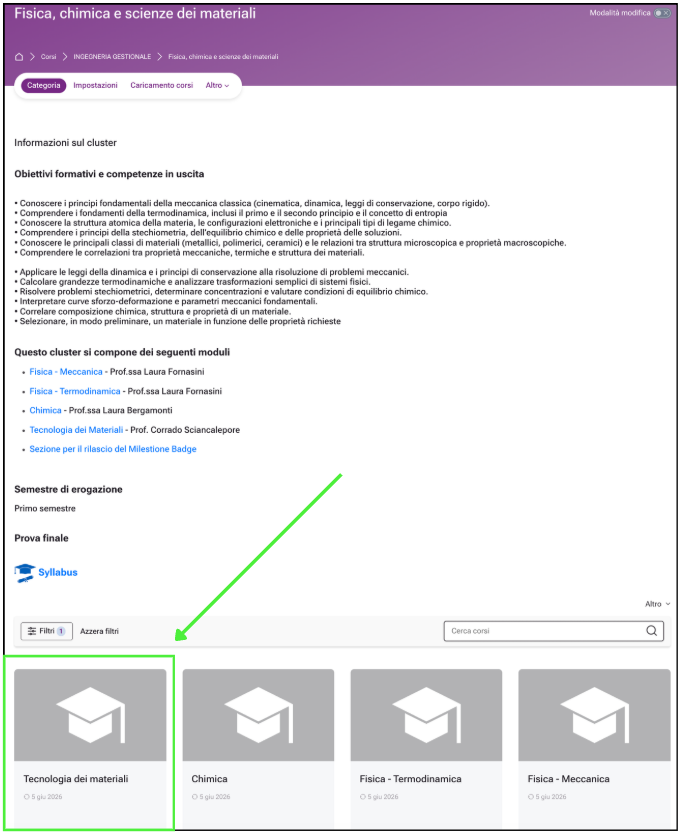
Tutti i moduli sono strutturati come nel riquadro sotto:
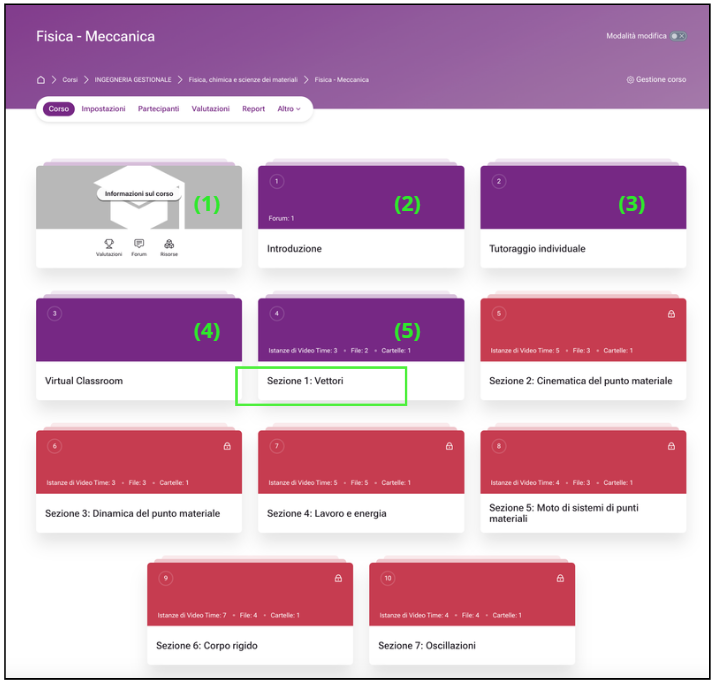
1. un box che contiene le informazioni sul corso (cliccando sulle icone è possibile visualizzare direttamente la tipologia di attività selezionata. Ad es. selezionando “Compiti” si accede rapidamente a tutti i compiti inseriti dal docente, etc.)
2. un box introduttivo dedicato agli Annunci, dove è possibile leggere tutti gli annunci/notizie pubblicati dal docente. Quando il docente pubblicherà un annuncio, riceverai un messaggio sulla tua posta elettronica con un link che ti porterà direttamente in questa sezione, per poter leggere il messaggio.
3. un box dedicato al tutoraggio individuale, nel quale potrai prendere appuntamento con il tutor per un supporto personalizzato.
4. un box dedicato alla Virtual Classroom (aula virtuale) dove troverai i link di accesso alle riunioni online che il docente e/o il tutor organizzeranno nel corso del semestre.
5. i box delle varie “Sezioni” tematiche del modulo, dove troverai le videolezioni, le slide e il materiale didattico messo a disposizione dal docente, le e-tivity (compiti, quiz, forum, glossari, etc.) e le trascrizioni dell’audio.
Per maggiori informazioni sul materiale didattico fare riferimento alla guida disponibile al link:
https://learn26.edunext.eu/course/index.php?categoryid=50